


Don’t let an AI bot potentially crash your television.
Even fresh out of the retail box, the modern smart television is increasingly bogged down by an array of unnecessary software. This digital clutter typically includes an assortment of unwanted applications, resource-hogging background utilities, and aggressive advertising tools designed to monetize every second of your viewing experience. Recently, one developer decided they had finally seen enough of this native bloatware. In a bold experiment, they gave an artificial intelligence agent full system access and a series of explicit instructions to clean up their aging television.
Mert Cobanov handed over system controls to Claude, an advanced AI assistant created by Anthropic, and documented the process on the social media platform X. According to his posts, the developer utilized a specific workflow of prompts to instruct the AI to manage the device’s internal software. Cobanov reported that his four-year-old television was subsequently running better than ever, prompting him to publish his exact prompts online so that other frustrated consumers could attempt the same digital overhaul.
However, technology experts and consumer advocates warn that following this path comes with significant risks. Even if you are deeply frustrated with the sluggish performance and intrusive nature of your smart device, plugging an autonomous AI agent into your television’s backend architecture and letting it operate with minimal human supervision is far from ideal. As developers and researchers are increasingly aware, AI agents frequently make errors, misinterpret complex system environments, and are notably less likely to admit when they lack the necessary information to complete a task safely.
This latest development highlights a growing tension between consumers seeking faster, cleaner technology and the increasingly complex software ecosystems built into modern hardware. Industry analysts note that letting automated agents roam unchecked inside consumer electronics introduces a host of stability and security concerns that far outweigh the temporary convenience of a automated cleanup.
The State of Things: Modern TVs Are Full of Bloatware
Smart televisions have transitioned from a luxury novelty to an absolute market standard over the past decade. Industry forecasts indicate that by the end of 2026, more than 50 percent of households globally are expected to own at least one smart TV, a substantial leap from just 34 percent in 2020. Yet, this rapid market saturation has come with a hidden cost for consumers. Nearly every modern smart television ships with a significant volume of pre-loaded software that the average viewer neither wants nor utilizes.
For instance, manufacturers like Samsung typically ship their displays with approximately 20 percent of their total onboard storage capacity already consumed by the native operating system and pre-installed partner applications. The vast majority of this factory-installed software consists of prominent video streaming applications such as Netflix, YouTube, and Amazon Prime Video. In many cases, hardware manufacturers and software platform providers establish commercial agreements that actively prevent customers from completely uninstalling these applications, forcing consumers to surrender valuable storage space and processing overhead to services they may never use.
Beyond consumer-facing applications, another major source of system bloatware involves sophisticated background software dedicated to data collection. This includes telemetry tools and Automatic Content Recognition technology, which continuously captures screenshots and audio fingerprints of whatever content is being displayed on the television screen.
A comprehensive report published by the Center for Digital Democracy concluded that connected televisions have rapidly evolved into a significant privacy nightmare for viewers. The report detailed how these devices conduct vast surveillance of audience habits to feed targeted, manipulative, and AI-driven advertising campaigns. Aside from the severe privacy implications surrounding data harvesting, these resource-intensive background tracking systems consume valuable random access memory and processing cycles, directly contributing to the sluggish performance that plagues many modern operating systems over time.
How Claude Can Debloat a TV — And Why That’s Not the Best Idea
Faced with declining performance, privacy intrusions, and storage limitations, a growing number of tech-savvy consumers are actively looking for ways to trim the excess software hiding inside their smart displays. In Mert Cobanov’s experiment, the developer bypassed standard consumer menus by opening the developer options on his Android TV. He then instructed Claude to connect to the system environment and execute a comprehensive debloating routine.
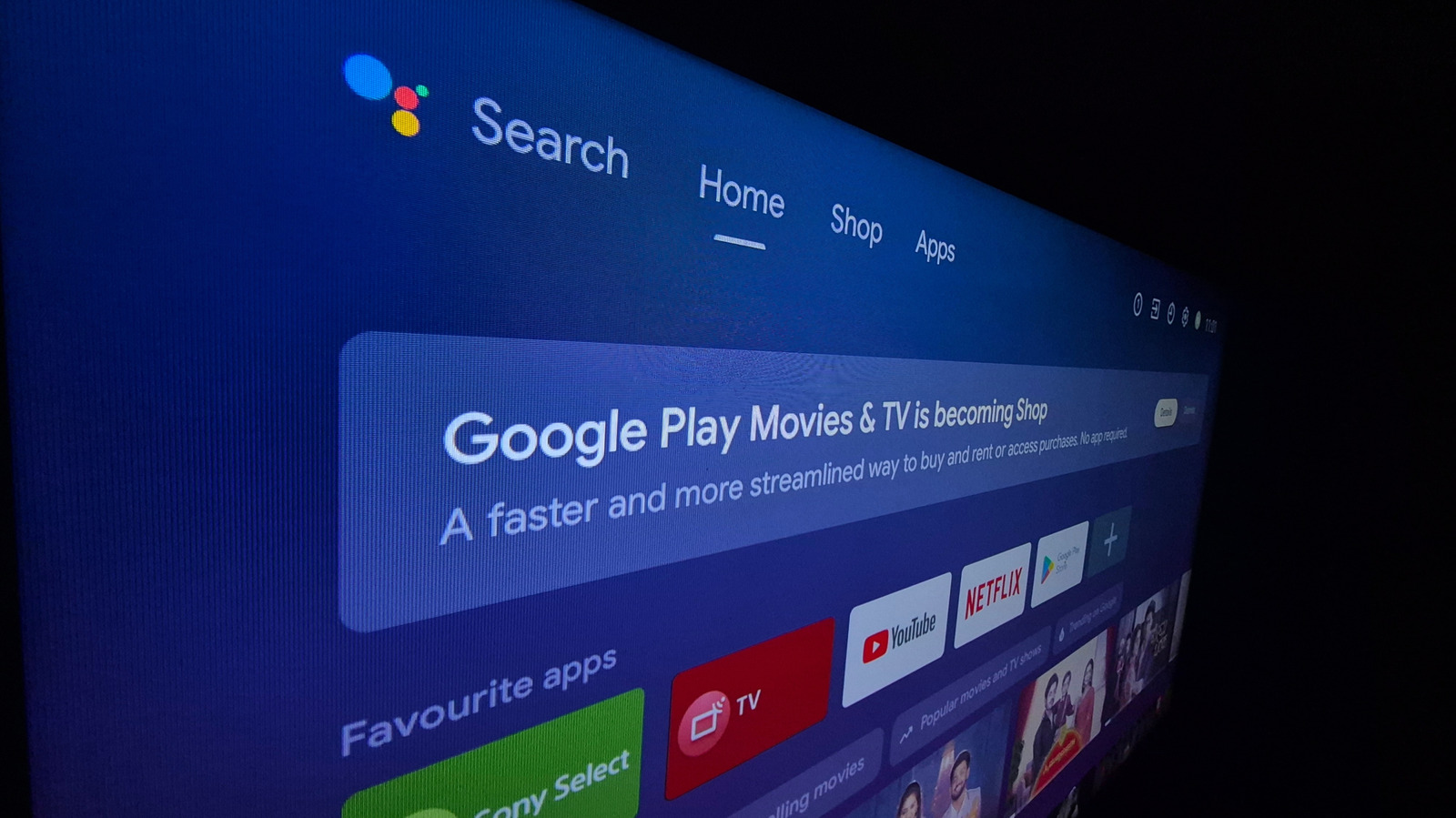
The prompts published by Cobanov explicitly commanded the AI agent not to permanently uninstall critical system packages, but rather to disable unused third-party applications, shorten interface animation durations to improve perceived responsiveness, and maintain a detailed log of all actions taken for subsequent review. Taking the customization a step further, Cobanov also disabled the default Google TV home screen, which he criticized for being heavily congested with targeted advertisements and algorithmically generated content recommendations. To replace it, he installed FLauncher, a lightweight, free, and open-source application available on the Play store that presents a clean, unadorned grid of the television’s installed apps.
"The big payoff was that the TV now runs smoother than when it was new, four years ago," Cobanov posted on social media, emphasizing that the entire overhaul was accomplished without requiring root access to the underlying hardware.
Despite the apparent success of this unconventional experiment, technology specialists emphasize that everyday consumers should exercise extreme caution before attempting to replicate it. Giving an AI coding or debugging assistant broad, direct access to a television’s system architecture carries a distinct risk of rendering the device unstable or completely unusable. Artificial intelligence models are inherently prone to probabilistic hallucinations and logic errors. If an agent misidentifies a critical system dependency or executes an incorrect command during an automated cleanup routine, the user faces a severe risk of disabling vital hardware components.
Furthermore, if essential software packages are inadvertently uninstalled or disabled by an automated script, the television may lose its ability to receive or process crucial system and security updates in the future. Security researchers have also repeatedly demonstrated that advanced AI prompt workflows can be vulnerable to indirect injection attacks or manipulation by malicious actors, introducing additional vectors of risk when granting software autonomous control over connected household devices.
How Can I Remove Bloatware from My Android TV?
While performing a radical software overhaul using an autonomous AI agent yielded positive results for one experienced developer, such extreme measures are rarely necessary for the average consumer. In many instances, restoring a sluggish smart television to peak performance can be accomplished through routine maintenance, such as clearing accumulated application caches, without needing to delete or disable core programs entirely.
Furthermore, as cybersecurity experts frequently point out, the vast majority of the technical adjustments made to debug Cobanov’s television can be performed manually by a human user with significantly greater safety and precision. FLauncher, the minimalist user interface designed to bypass the ad-heavy Google TV home screen, can be downloaded directly from the official app store without ever granting an AI agent low-level system access. A variety of other utility applications are readily available on the Google Play store that allow users to manage their installed packages safely, giving them direct control over which programs run in the background and which are kept dormant.
To improve overall system responsiveness without resorting to automated scripts, users can easily adjust several hidden settings natively available within the device’s software interface. These options are typically located inside the Developer Options menu of the standard Android TV settings application. Once unlocked, users can manually adjust animation-related parameters—such as scaling transition durations from standard speed down to faster intervals—which instantly makes the user interface feel much more snappy and responsive to remote control inputs.
Additional performance gains can be achieved by navigating the primary system menus to disable autoplaying promotional video trailers on the home screen, turning off unnecessary usage diagnostics and telemetry reporting, and activating dedicated display modes that restrict the interface strictly to user-installed applications rather than algorithmic recommendations.