


While Roku’s ecosystem has long been celebrated for its straightforward interface and freedom from excessive visual clutter, even the simplest streaming hardware can occasionally run into frustrating performance issues. For many users, nothing tests patience quite like a streaming application that shuts down abruptly before a video can even begin to play.
Despite the platform’s reputation for ease of use—a trait that remains a cornerstone of its identity amid industry developments such as Fox’s impending acquisition—technical hiccups still occur. When a streaming stick or smart TV crashes repeatedly before hitting play, it can feel particularly baffling. After all, unlike a complex personal computer running dozens of background tasks, a dedicated streaming device exists for a singular purpose: delivering video and audio content. Experiencing system freezes or sudden crashes on a media player can feel as irritating as a kitchen appliance refusing to perform its basic duties.
Fortunately, most of these frustrating disruptions stem from a handful of common causes, many of which can be resolved through routine maintenance and software management. While extreme scenarios might occasionally demand more drastic interventions or even a hardware replacement, most users can restore stability using standard troubleshooting measures.
Why Your Roku Apps Might Be Crashing, and How to Fix It
One of the most frequent culprits behind sudden application closures is software bugs. Although developers and platform engineers constantly work to squash errors before updates roll out, comprehensive testing can never account for every single combination of hardware variations and software environments.
Normally, Roku devices handle software patches automatically during a cold boot or when left powered on for extended periods, typically between 24 and 36 hours. Users who prefer to check for updates immediately can do so by navigating through the remote to the settings menu, accessing the system section, and selecting the software update utility to check manually. However, patience is often required, as official patches can sometimes take days or weeks to be developed and distributed by developers.
When system updates do not resolve the issue, a simple device restart can often clear out temporary glitches. By navigating to the power settings and initiating a system restart—or a direct system reboot depending on the specific hardware model—users give background processes and the system cache a fresh start. Performing this action periodically is widely recommended by tech support professionals to keep streaming hardware running smoothly.
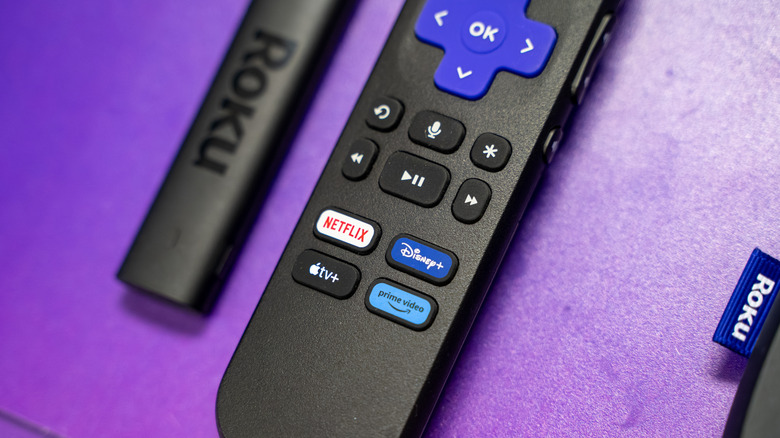
Another vital maintenance step involves digital housekeeping, specifically removing unused applications. Even modern hardware iterations, such as the 2024 Roku Ultra, come equipped with a relatively modest four gigabytes of internal storage, while older or more budget-friendly television models often feature significantly less space. When storage fills up, the operating system can struggle with the temporary swap space it requires to operate efficiently, leading to unexpected application crashes. Clearing out software that has not been opened in months is a simple way to alleviate this pressure.
When Extreme Measures Are Called For
If standard updates, reboots, and storage cleanups fail to resolve persistent crashing behavior, users may be forced to consider more drastic measures. Among the final software-based troubleshooting options is a complete factory reset, which restores the streaming device to its original out-of-the-box state.
While effective at wiping away deep-seated software corruption, a factory reset is generally considered a last resort. Reverting the device to its default settings means that every streaming app must be reinstalled, user preferences must be reconfigured, and log-in credentials must be re-entered from scratch. For users whose operating systems have become completely unresponsive, hardware-based reset buttons provide an alternative pathway to a clean slate.
Hardware longevity is another factor that cannot be entirely ignored. When streaming devices reach a certain age, they may struggle to keep pace with modern software updates, heavier user interfaces, and advanced streaming codecs. Although Roku maintains an impressive history of supporting legacy hardware with software updates for extended periods, newer features and higher-resolution graphics inevitably push the limits of older processors and limited RAM. When hardware barriers are finally reached, upgrading to a newer streaming media player becomes the only viable solution.
Ultimately, the lifespan of older software versions is also dictated by third-party streaming providers. Content networks frequently deprecate support for older application iterations to implement enhanced security protocols or introduce new platform features. By keeping both the Roku operating system and individual applications updated as long as supported hardware allows, users can minimize disruptions and maintain a reliable viewing experience.