

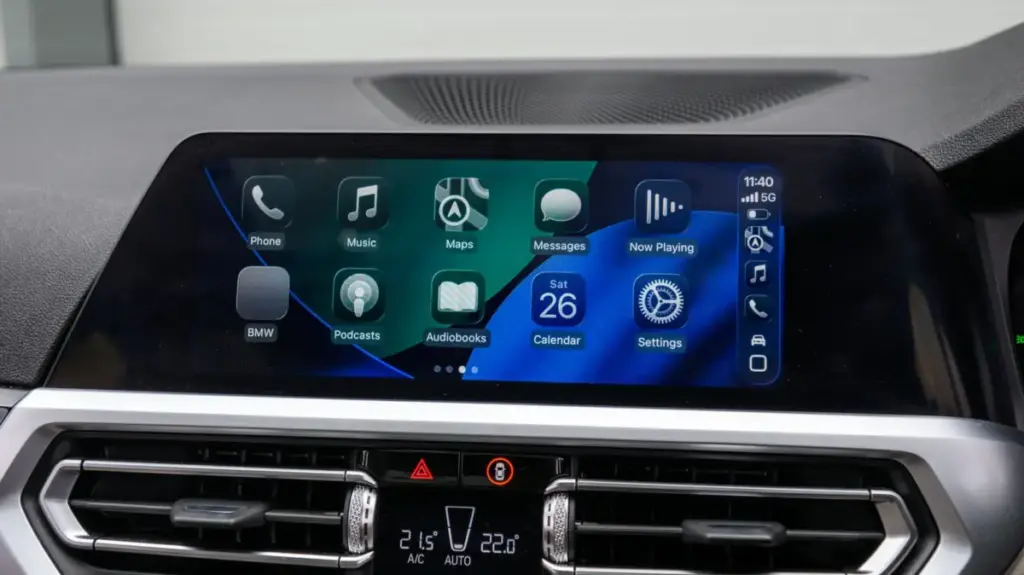
For millions of drivers around the world, Apple CarPlay has transformed the daily commute and long road trips by bringing the familiar, streamlined interface of an iPhone directly to the dashboard display. Yet, despite its widespread adoption across hundreds of vehicle makes and models, a persistent friction point remains: the cable. While wired connections have long been the industry standard—offering robust signal stability, rapid data transmission, and simultaneous device charging—they tether the user’s smartphone to the center console or glove compartment. This physical constraint strips away the simple convenience of leaving the phone safely tucked inside a pocket, bag, or wireless charging pad.
The desire to break free from the cord has driven a surge in demand for wireless connectivity. For drivers whose vehicles came equipped only with wired CarPlay, the traditional solution meant either living with the cable or investing substantial sums of money into a completely new, aftermarket head unit or buying an entirely different car. Fortunately, a much more accessible alternative has emerged on the consumer electronics market: the plug-and-play wireless CarPlay adapter. These compact, unassuming hardware dongles act as a digital bridge, translating the data stream from the car’s built-in USB port into a wireless protocol that communicates seamlessly with a nearby iPhone.
While the prospect of cutting the cord is undeniably appealing, navigating the market for these adapters requires a careful, informed approach. The technology relies on a delicate handshake between the vehicle’s proprietary infotainment software, the adapter’s internal firmware, and Apple’s continuously evolving mobile operating system. Because of these complex variables, not all adapters perform equally. Consumers who rush into a purchase without doing their homework often encounter frustrating pitfalls, ranging from sluggish connection times and audio latency to complete incompatibility with certain car models or sudden software failures following an iOS update. Understanding the technical nuances, physical requirements, and functional differences between models is essential before investing hard-earned money into a wireless upgrade.
Check your car before buying a CarPlay adapter
The most critical step in transitioning to wireless CarPlay begins long before browsing online storefronts or comparing prices; it requires a thorough evaluation of the vehicle itself. It is a common misconception that these adapters can somehow add Apple CarPlay functionality to a car that lacks the feature entirely. In reality, these devices are strictly converters designed to take an existing, wired USB CarPlay system and broadcast it over a local Wi-Fi and Bluetooth network. If a vehicle’s factory infotainment system does not natively support CarPlay via a wired USB connection, plugging in an adapter will yield no results. For drivers of older or base-model vehicles completely devoid of smartphone integration, the only viable workaround involves installing a portable dashboard-mounted CarPlay display rather than a simple adapter.

Assuming the vehicle does support wired CarPlay, compatibility hurdles can still arise based on software limitations and physical hardware design. High-end adapters are engineered to boast broad compatibility, often covering hundreds of distinct vehicle models across major global automotive brands, but edge cases and anomalies are common. Manufacturers typically provide compatibility lists detailing which makes, models, and year ranges have been verified to work with their hardware. When in doubt, consulting owner forums and enthusiast communities can provide real-world insights into how a specific adapter behaves with particular infotainment systems, such as Ford’s SYNC, Toyota’s Entune, or Honda’s Display Audio.
Physical connectivity demands equal scrutiny, particularly regarding port geometry. The automotive industry has been in a prolonged transitional phase regarding physical standards. Older vehicles rely almost exclusively on standard USB-A ports, while modern cars increasingly feature reversible USB-C ports. Purchasing an adapter that does not match the vehicle’s built-in port requires an auxiliary cable or a secondary adapter, introducing clutter and potential points of failure into the setup.
Furthermore, software longevity is a persistent concern in the automotive accessory market. Apple updates its mobile operating system on an annual basis, introducing new security protocols and framework changes that can inadvertently break compatibility with third-party hardware. Cheaper, unbranded adapters often ship with static firmware that cannot be updated by the end-user. When an iPhone updates to a new major version of iOS, these legacy adapters can instantly become obsolete. Prioritizing models that feature user-friendly firmware update mechanisms ensures that the investment remains functional as Apple’s software ecosystem continues to evolve.
The adapter features that actually make a difference
Once vehicle compatibility has been firmly established, attention must turn to the internal specifications and hardware features that dictate daily usability. Among the most crucial characteristics is the auto-reconnect function. A poorly designed adapter requires the user to manually dive into their iPhone’s settings menu or initiate a manual pairing sequence every single time the vehicle’s ignition is turned on. A properly optimized adapter, by contrast, establishes a background connection automatically within seconds of the car starting, mimicking the seamless experience found in luxury vehicles equipped with factory-native wireless CarPlay.
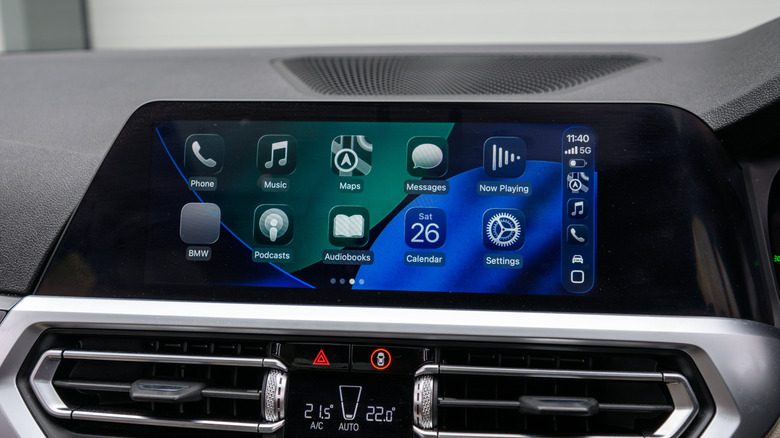
Underneath the hood of these compact enclosures, the choice of wireless communication standards plays a definitive role in performance quality. Reliable data transfer requires robust Bluetooth and Wi-Fi architecture. Devices that leverage 5GHz Wi-Fi bands are significantly better equipped to handle the heavy data demands of streaming music, real-time GPS navigation, and high-framerate interface rendering while avoiding the severe congestion commonly found on crowded 2.4GHz frequencies. Similarly, modern Bluetooth standards, such as Bluetooth 5.0 and above, ensure that the initial device handshakes and pairing procedures occur rapidly and without dropped connections. Budget adapters that cut corners by utilizing older, slower wireless standards frequently suffer from noticeable audio latency, interface lag, and intermittent dropouts while driving through areas with high electromagnetic interference.
Beyond raw connectivity, functionality can vary wildly when it comes to integrated vehicle controls. While basic mirroring of the CarPlay interface is standard, not every adapter successfully relays commands from physical steering wheel buttons or integrates smoothly with hands-free Siri voice activation. For drivers who rely heavily on steering-wheel-mounted media controls and voice commands to maintain road safety, verifying that an adapter fully supports these input channels is paramount.
More advanced and expensive models often pack additional capabilities into their compact housings. Some feature dedicated processing chips that enable rudimentary video streaming applications or dual compatibility with Android Auto, catering to households with mixed mobile ecosystems. Others incorporate multi-device memory, allowing several different iPhones to be paired and easily selected—a valuable feature for shared family vehicles where multiple drivers take turns behind the wheel.
Market pricing for these adapters typically ranges from $30 to $50 for reliable mainstream options produced by established accessory brands like Ottocast, though prices can climb higher for units boasting specialized software features or ruggedized builds. By taking the time to research hardware specifications, verify vehicle compatibility, and understand the limitations of various wireless standards, consumers can successfully eliminate the cable clutter from their dashboard without sacrificing reliability or performance.