

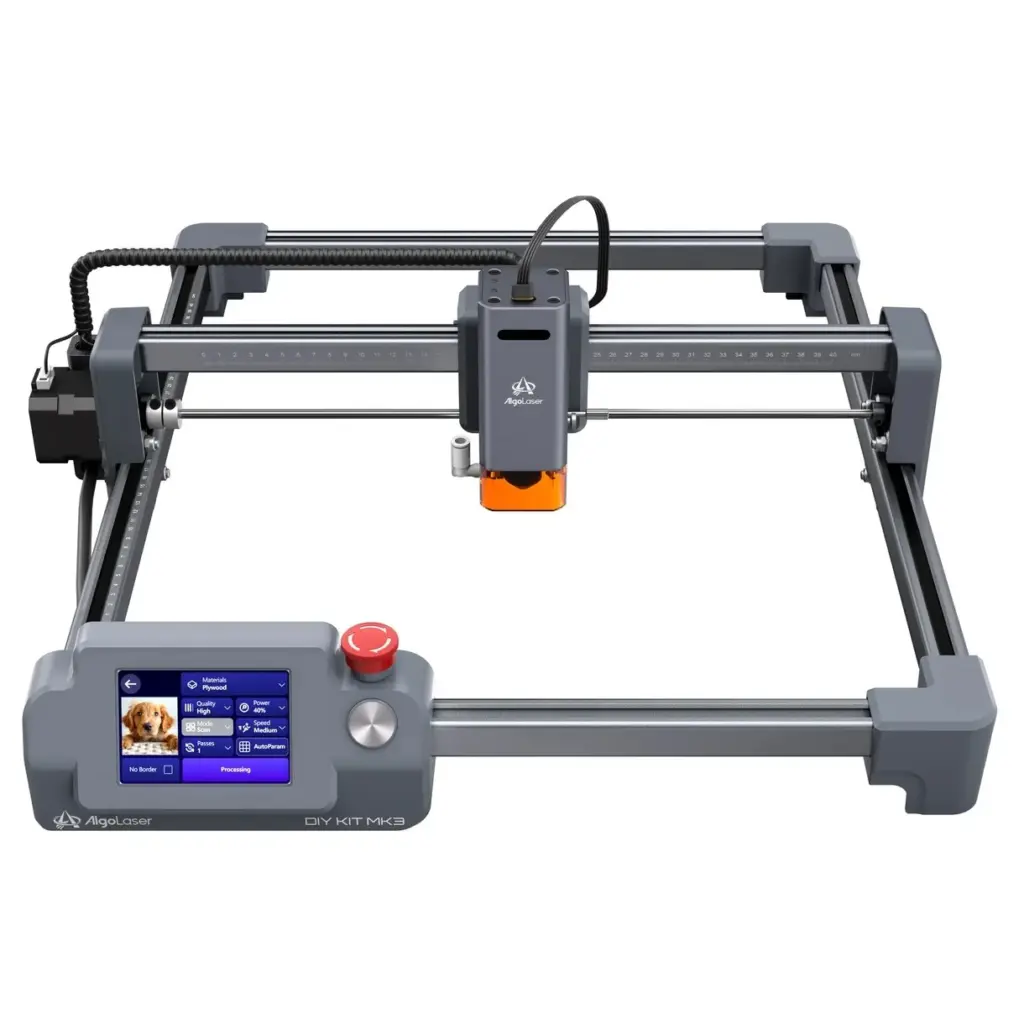
For makers, hobbyists, and small-batch creators alike, the timeless advice to simply "get started" has never been easier to follow. Over the past several years, the landscape of desktop manufacturing tools has shifted dramatically, offering increasingly accessible hardware designed to lower the barrier to entry for home workshops. Among these categories, diode laser engravers have proven particularly transformative, capable of turning flat sheets of wood, leather, or slate into personalized gifts, custom signage, intricate artwork, and high-volume identical components with little more effort than loading a digital file and pressing a button.
Yet, not all desktop tools deliver equally on their promises of seamless operation. Entering this competitive market is the AlgoLaser DIY Kit MK3, an open-frame diode laser engraver retailing at $569. Positioned as an approachable entry point for those looking to expand their fabrication capabilities, the MK3 combines a familiar gantry-style architecture with a built-in touchscreen interface and proprietary AlgoOS software. Designed to operate independently of a tethered computer for standard tasks, the machine aims to simplify the transition from concept to creation. However, as extensive hands-on testing reveals, navigating the balance between user-friendly convenience and the mechanical realities of desktop laser cutting requires a clear understanding of what the hardware can and cannot do out of the box.
A Beginner-Friendly Desktop Laser Engraver
Marketed as a streamlined kit that arrives approximately 95 percent preassembled, the AlgoLaser DIY Kit MK3 promises a painless setup process consisting of just five primary steps. In practice, this claim holds up well. The system arrives promptly in a reasonably sized shipping container that protects its contents effectively during transit. Unboxing the components reveals a straightforward mechanical layout, with clear instructions that guide the user through the final assembly stages without descending into overly complex or obscure fastener designs.
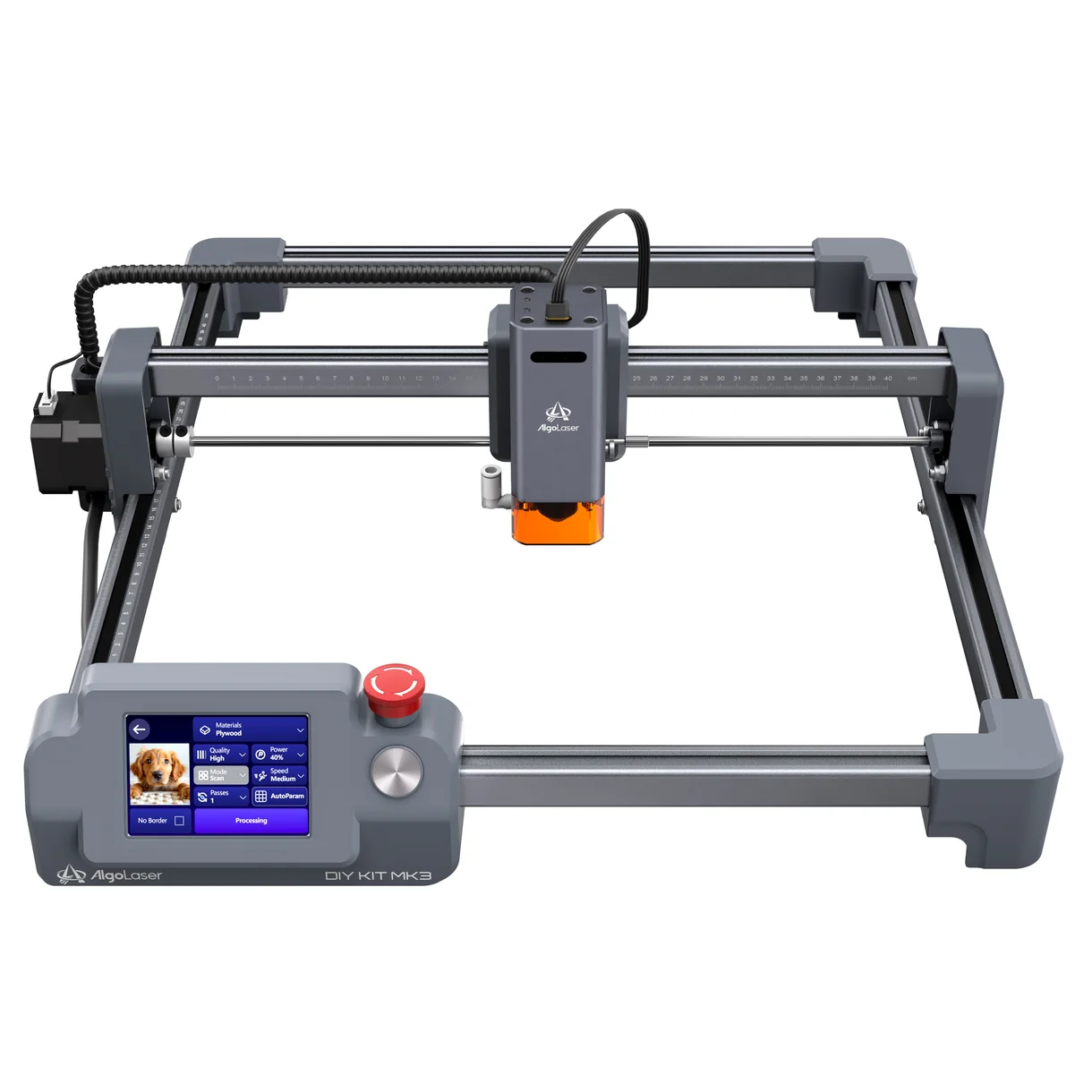
Despite its classification as a desktop laser engraver, the MK3 occupies a physical footprint that makes it better suited to a dedicated tabletop or workbench rather than a crowded desk. Because the machine relies on an open-frame design with a generous 400 by 400 millimeter work area—large enough for medium-sized projects such as cutting boards, batches of coasters, and larger signs—secure installation is a critical component of the setup phase. The protective cutting plate system utilizes overlapping anodized aluminum plates secured with screws at either end, forming a stable foundation that must be properly anchored to prevent shifting during high-speed operations.
Furthermore, getting the machine operational involves more than just tightening a few bolts. Depending on the stability of the mounting surface, users may need to fine-tune the eccentric roller adjustments to ensure the gantry moves smoothly and accurately. This mechanical nuance is vital; a laser engraver’s output quality is directly tied to its physical alignment. Even minor slop in the gantry movement can transform a precision circle into an ellipse or introduce noticeable waviness into an engraving job. While the MK3 significantly reduces the assembly burden compared to traditional completely unbuilt kits, it remains a precision instrument that benefits immensely from careful, methodical setup rather than acting as a purely plug-and-play appliance.
To accommodate different fabrication needs, AlgoLaser offers the MK3 with three distinct laser power options: 8W, 15W, and 20W modules. The entry-level 8W configuration is tailored for lighter engraving tasks and occasional cutting of very thin materials. The 15W model provides a substantial boost in cutting headroom, making it a versatile middle ground for general workshop use. Meanwhile, the top-tier 20W version is targeted at users who anticipate cutting thicker sheet materials on a regular basis. During evaluation, the 15W model demonstrated strong performance primarily on thin wood substrates, though experts note that raw wattage is only one piece of the puzzle. Achieving clean results ultimately depends on a combination of laser focus, material selection, operating speed, and the integration of an air assist system.

Good Results, but Stability and Ventilation Required
While the MK3 succeeds in making physical assembly straightforward, its open-frame architecture introduces distinct operational considerations that every prospective buyer must address. Unlike fully enclosed laser cutters, an open-frame diode laser does not natively contain stray optical radiation, smoke, particulate matter, or acrid odors within a sealed chamber. Consequently, operating the machine safely requires proactive planning regarding personal eye protection, adequate workshop ventilation, and comprehensive fire safety measures. For those planning to place the machine in a shared domestic space or a multi-use indoor workshop, investing in a dedicated enclosure and a robust exhaust ducting system is practically mandatory.
The necessity of proper environmental controls becomes immediately apparent during cutting and engraving tasks. Generating smoke is an inherent part of burning wood, leather, and other organic materials with a laser diode. While testing confirmed that the addition of an air pump dramatically improves cutting quality by clearing debris and preventing charring at the point of the laser’s focus, it also accelerates the dispersion of airborne smoke into the surrounding room. During secondary testing evaluations, introducing an auxiliary fan proved necessary to clear the immediate work area and maintain visibility.
Beyond environmental management, the MK3 demands ongoing attention to mechanical maintenance and operational parameters. Features like touchscreen presets and streamlined software interfaces do much to shorten the initial learning curve, but they cannot magically alter the physical properties of different materials. Wood grain variations, moisture content, sheet thickness, and surface coatings all influence how a laser interacts with a substrate. Consequently, operators must be prepared to run test grids and iteratively adjust speed and power settings when transitioning between delicate surface engraving and deep-profile cutting operations. Failing to account for these variables often leads to inconsistent output, particularly if the machine lacks the rigid physical stability required for high-speed motion.

Software and Connectivity
One of the standout design choices on the Algolaser DIY Kit MK3 is the inclusion of an onboard touchscreen interface. By allowing users to execute straightforward jobs directly from the machine without maintaining a continuous tether to a personal computer, AlgoLaser removes a common point of friction found in many entry-level fabrication tools. The touchscreen environment is responsive, clean, and simple to navigate, offering a streamlined path from file selection to project execution.
At the same time, the simplicity of the onboard interface imposes certain limitations. The built-in controls offer relatively few options for deep customization or complex job manipulation, meaning intricate layouts are still best handled externally. Wireless functionality introduces additional flexibility, supporting firmware updates and remote job monitoring via 2.4GHz Wi-Fi and associated mobile applications. However, wireless connections can occasionally prove less consistent during heavy data transmission.
For reliable, everyday operation, connecting the MK3 directly to a computer via a standard USB cable remains the most dependable approach. The machine’s broad compatibility with widely used open-source applications, including industry standards like Lightburn and LaserGRBL, represents a major advantage for makers. This open ecosystem ensures that users are not locked into a proprietary software walled garden, providing ample room for skill development and experimentation as their fabrication projects grow more ambitious over time.

The Tradeoffs
The AlgoLaser DIY Kit MK3 carves out a compelling niche within the budget-conscious desktop laser engraver market. By combining a generous 400 by 400 millimeter work area, a responsive built-in touchscreen, and a simplified modular assembly process, the manufacturer has delivered a versatile workshop tool that remains accessible to newcomers. Its capability to handle lightweight materials with speed and precision opens up a wide array of creative and commercial possibilities for hobbyists and small craft enterprises.
At the same time, prospective owners must weigh these benefits against the machine’s inherent limitations. The open-frame design requires careful consideration regarding smoke mitigation, workspace ventilation, and safety equipment. Furthermore, while the touchscreen interface and pre-assembled architecture reduce initial setup friction, achieving professional results still requires patience, proper mechanical alignment, and a willingness to dial in cutting parameters for individual materials.
For makers whose projects focus on surface engraving and lightweight sheet fabrication without the complication of heavy, thick stock, the MK3 offers an appealing blend of capability and value. Successfully integrating the tool into a workshop ultimately relies on choosing the appropriate laser power module for your specific needs, preparing a safe and well-ventilated operating environment, and recognizing that quality craftsmanship always begins with careful setup.