




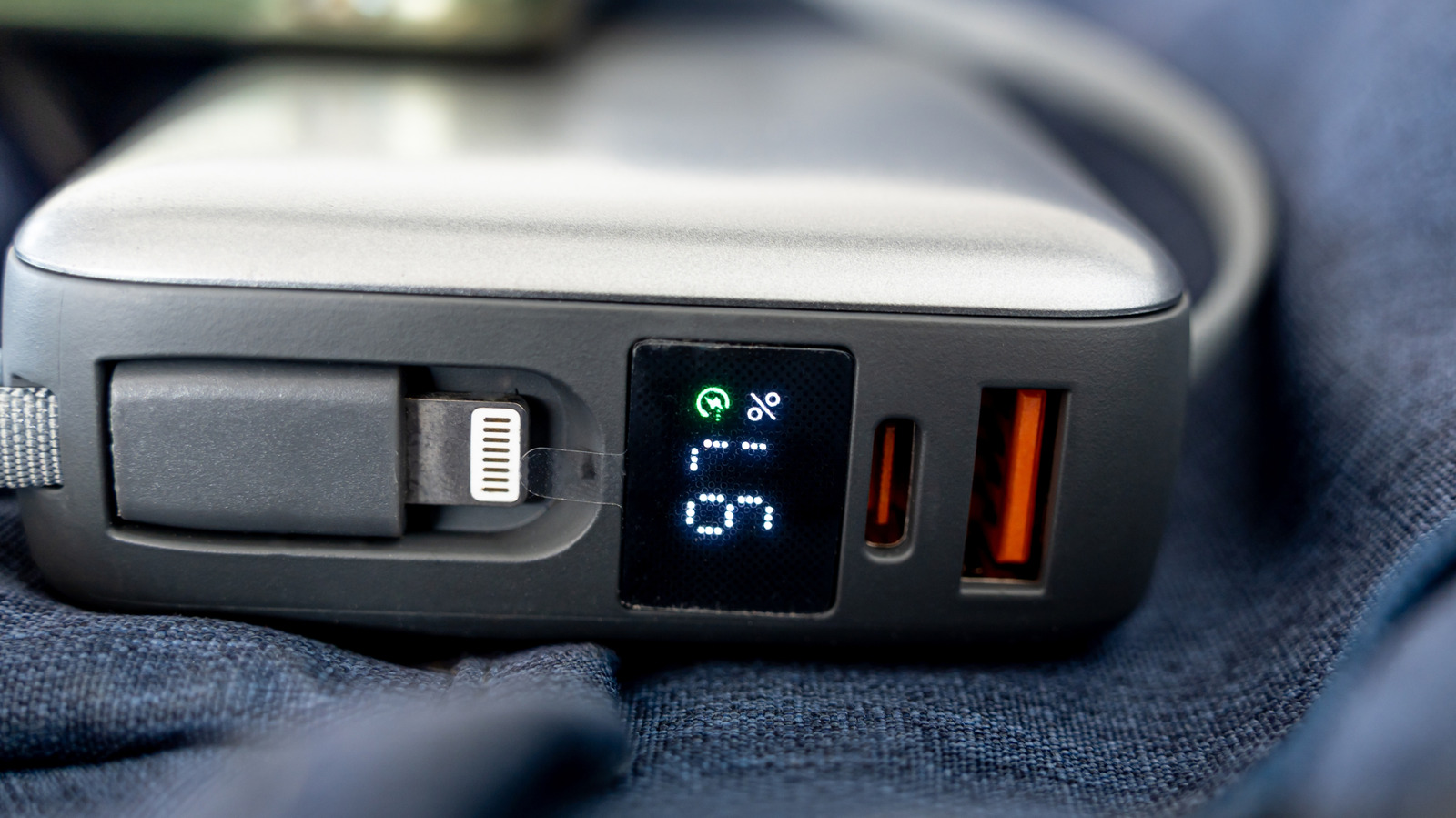
Take a close look at the electronic devices scattered across your desk or entertainment center, and you might just spot a splash of color hiding inside one of your USB ports. While the vast majority of traditional rectangular USB-A ports come in standard black, white, or blue, you may occasionally encounter an orange interior. For many tech enthusiasts, spotting an orange USB port brings a sudden wave of optimism, as it is widely associated with an "always-on" charging capability. These specialized ports are designed to supply continuous power through the internal power supply or battery, even when the host computer or power bank is completely powered down.
However, relying on that flash of orange as a definitive rulebook can easily lead to frustration. The reality of hardware manufacturing is far more chaotic than a neat color-coding chart, and the presence of an orange USB port is not set in stone by any strict industry-wide standardization. There is no overarching electronics regulatory body or universal rule that dictates orange must signify a port capable of keeping your smartphone charged while your workstation sleeps.
Instead, the color typically manifests as a distinct plastic insert nestled inside a standard rectangular USB-A socket. While a select group of hardware manufacturers do utilize orange ports specifically to denote "always-on" functionality, others use the exact same hue to indicate entirely different hardware specifications, such as accelerated data transfer speeds or physical durability enhancements. Because this design choice lacks a universal specification across the tech industry, consumers should view an orange port merely as an intriguing power-related feature that demands manual confirmation rather than a guaranteed capability.
This ambiguity is further compounded by the fact that hardware manufacturers enjoy wide latitude when highlighting special features. A brand might choose a distinct color to flag a port with heightened charging capabilities without ever making explicit promises regarding a specific charging wattage. Conversely, you might encounter an orange USB port that fails to deliver the high-speed data transfers typically associated with modern standards, yet it stubbornly continues to charge your mobile devices long after the host computer has been shut off.
Orange USB Ports Do Not Have the Same Meaning Everywhere
Because the color orange essentially acts as a visual cue signalling that a USB port deviates from the standard configuration, the true meaning behind the port boils down entirely to the discretion of the individual manufacturer. When trying to determine what a specific colored port on a motherboard or peripheral actually does, breaking out the product documentation or navigating to the manufacturer’s online specifications page proves infinitely more useful than consulting a generalized color chart found on the internet.
A prime example of this fragmented approach can be seen by comparing how different technology companies utilize the exact same aesthetic choice. Intel and Advantech both employ orange plastic inserts inside their USB sockets, yet they use them to highlight completely unrelated engineering capabilities.
Within Intel’s ecosystem, particularly on select NUC mini-PCs and specialized motherboards, an orange USB port frequently serves as an enhanced charging connection designed to deliver more electrical current than standard ports. While standard blue USB ports on these models might deliver the traditional 900 milliamps, Intel’s designated orange ports are often specified to push up to 1.5 amps, allowing for faster and more efficient power delivery to connected gadgets.
Meanwhile, industrial hardware manufacturer Advantech takes an entirely different path with the color. For Advantech, orange ports denote high-retention USB connectors. Rather than focusing on electrical current or charging speed, these specialized sockets are engineered with a tighter mechanical grip designed to hold onto an inserted plug with exceptional force. The physical withdrawal force required to disconnect a cable from an Advantech orange port is roughly fifty percent greater than that of a conventional USB connector, making them ideal for vibration-prone industrial environments where cables cannot afford to shake loose.
Which USB Port Is Faster: Blue or Orange?
When attempting to navigate the confusing landscape of colored computer ports, consumers naturally wonder how orange stacks up against the more common blue ports regarding raw performance. In most traditional color chart comparisons, both orange and blue USB ports belong to the USB 3.0 generation, meaning they share foundational architecture that supports data transfer rates of up to 5.0 gigabits per second.
Given those shared technical specifications, an orange port typically diverges from a standard blue port solely in the "always-on" power delivery category or proprietary manufacturer features. Simply moving a USB cable from a blue port to an orange port on a running computer should theoretically make zero difference in day-to-day data transfer performance unless the host system is powered down and you specifically require background charging capabilities.
It is also worth noting that even the ubiquitous blue color is not entirely standardized across the global electronics industry. According to the USB Implementers Forum, blue is simply the recommended color designation for SuperSpeed USB-A connectors operating at USB 3.0 speeds of 5 Gbps. Even with that official recommendation from industry groups, it never hurts to double-check the technical specifications for each port individually, particularly when encountering rare or non-standard hues like purple. While printed labels and color codes can certainly help point users in the right direction, they are not always immediately visible, nor are they guaranteed to be present on custom motherboards or specialized enterprise hardware.
Furthermore, the performance of any given port relies heavily on the external variables introduced by the connected device and the cable itself. Not every external accessory possesses the hardware necessary to match a port’s advertised maximum output, and the physical cable being used must also fully support those high-speed capabilities. When a user specifically requires rapid power replenishment, verifying that the chosen orange port actually supports fast charging is essential. Similarly, when massive file transfers are on the line, ensuring that the port does not become an unexpected bottleneck is equally important. While an orange port frequently manages to deliver both advanced power features and solid data speeds, discerning those capabilities from the exterior color alone remains impossible.